Where Can I See My Promo Coupons
2025-08-11
You can easily find and check your promo coupons at any time. Here are three ways to access them:
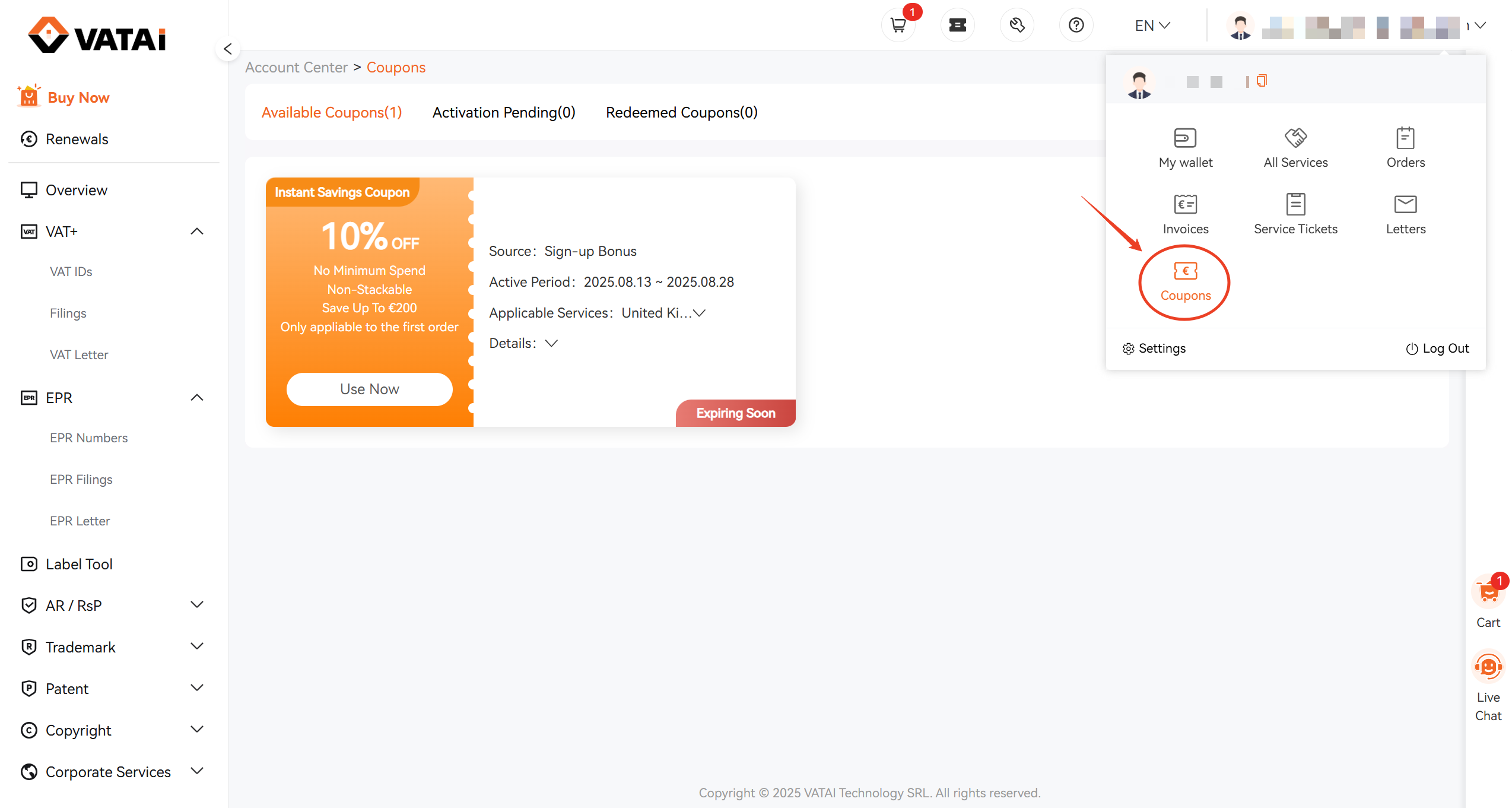
1. From Your Profile
- Click on your Profile icon in the top-right corner.
- Select Coupons from the menu.
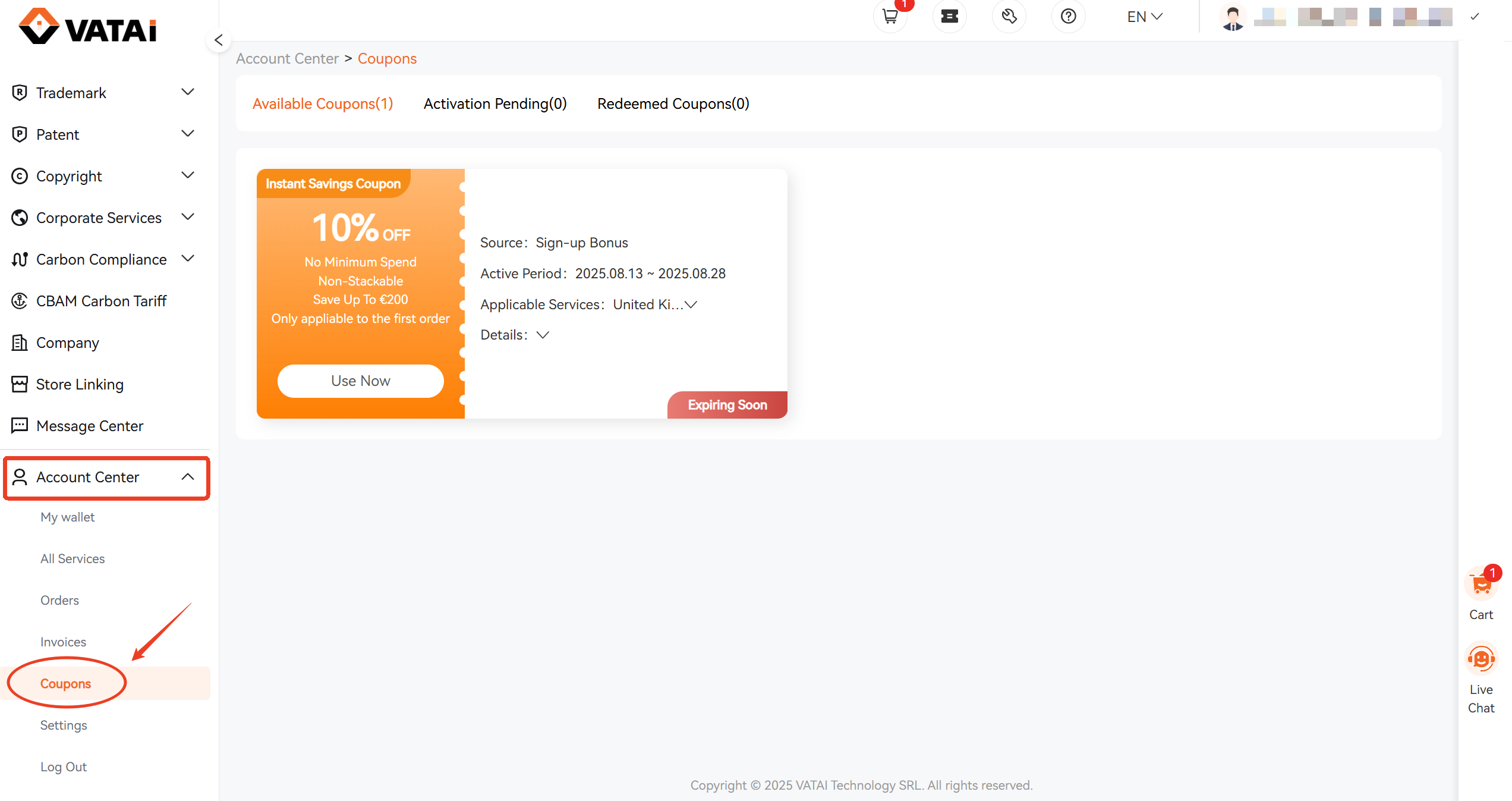
2. From the Account Center
- Open the Account Center.
- Go to Coupons to view all available promo coupons.
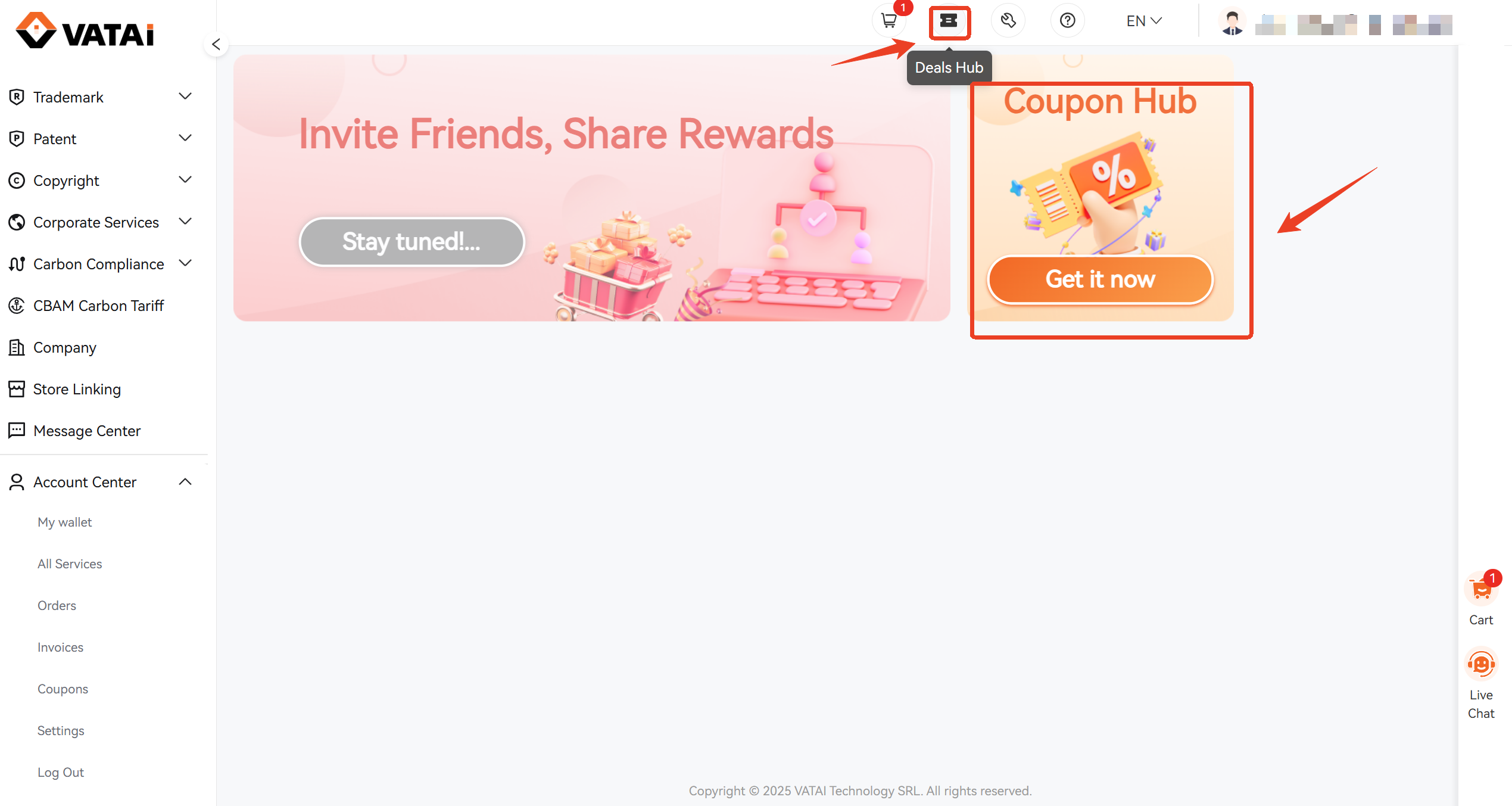
3. From the Deals Hub
- Click on the Deals Hub icon on the homepage.
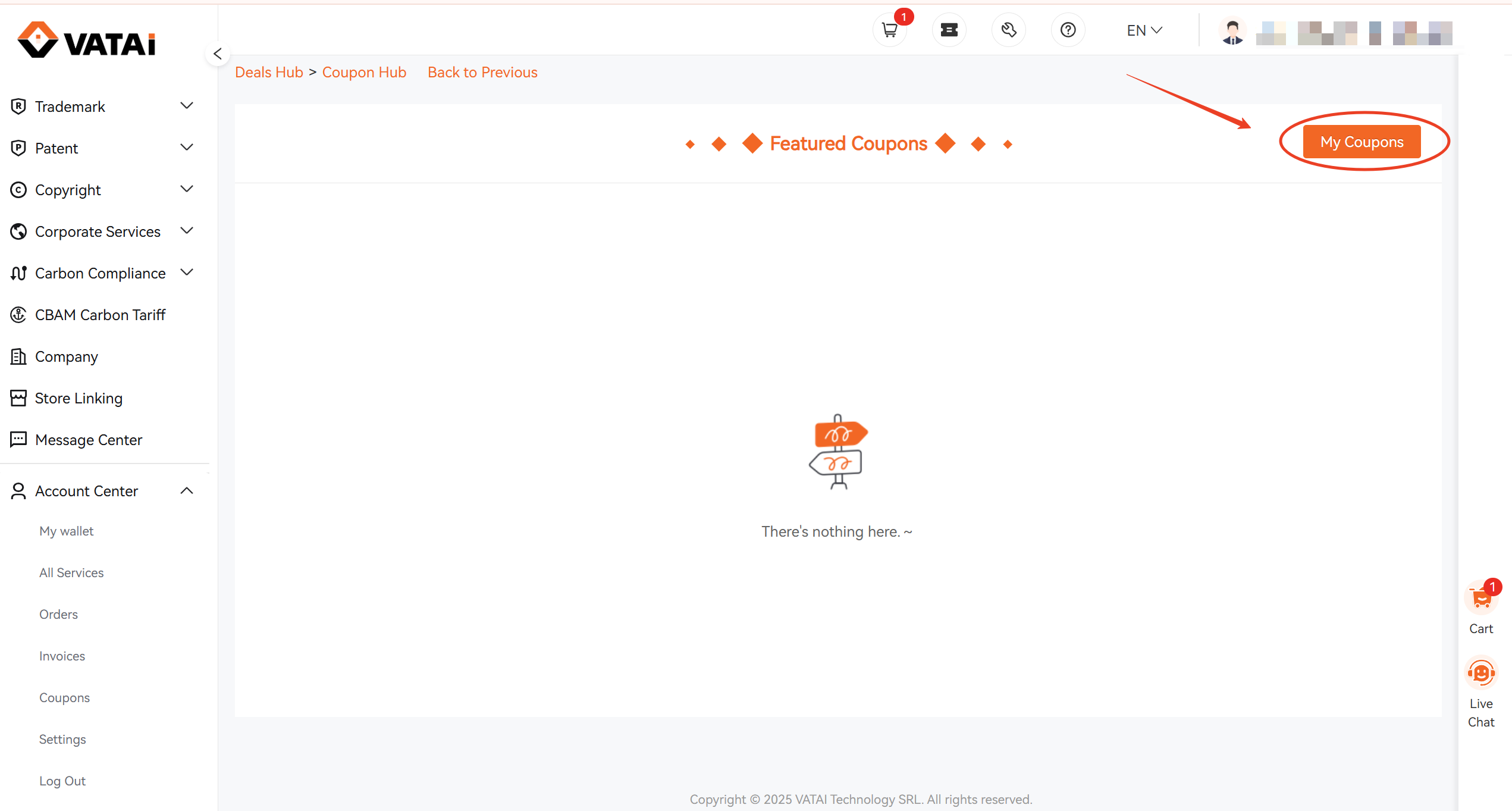
- Select Coupon Hub.
- Then click My Coupons to see all your offers.
💡 Tip: Make sure to check the expiration dates so you don't miss out on any savings!
Subscribe to Our Newsletter
Get practical VAT, EPR & e-commerce compliance tips to help your business stay compliant across markets.
Get Your Free Consultation Today!
Get in Touch