Step 1: Start a VAT Filing
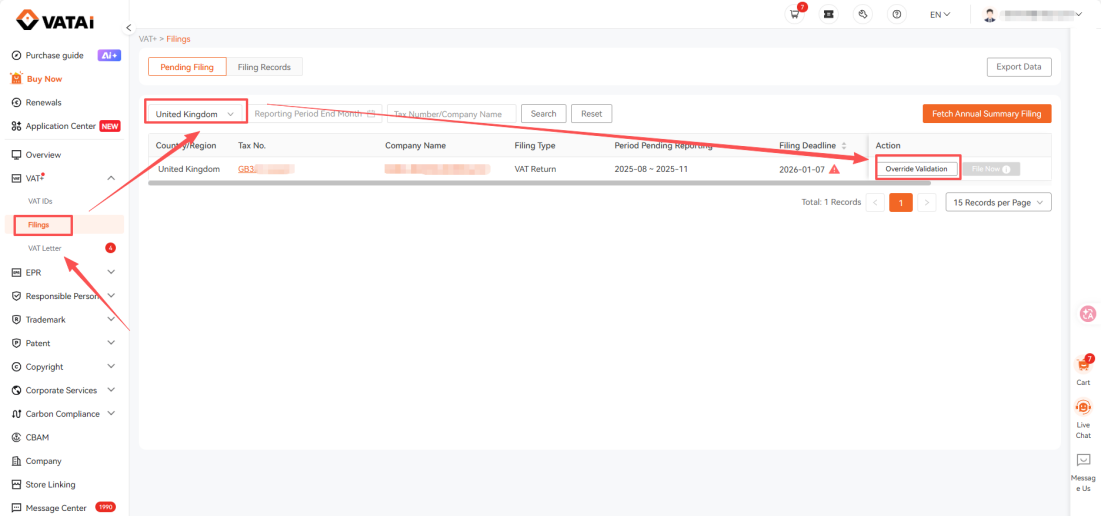
Log in to the VATAi client portal, go to Filings → Pending Filing, enter the company name or VAT number in the search box, and click Start Filing to initiate the VAT filing process.
Step 2: Confirm Filing Information
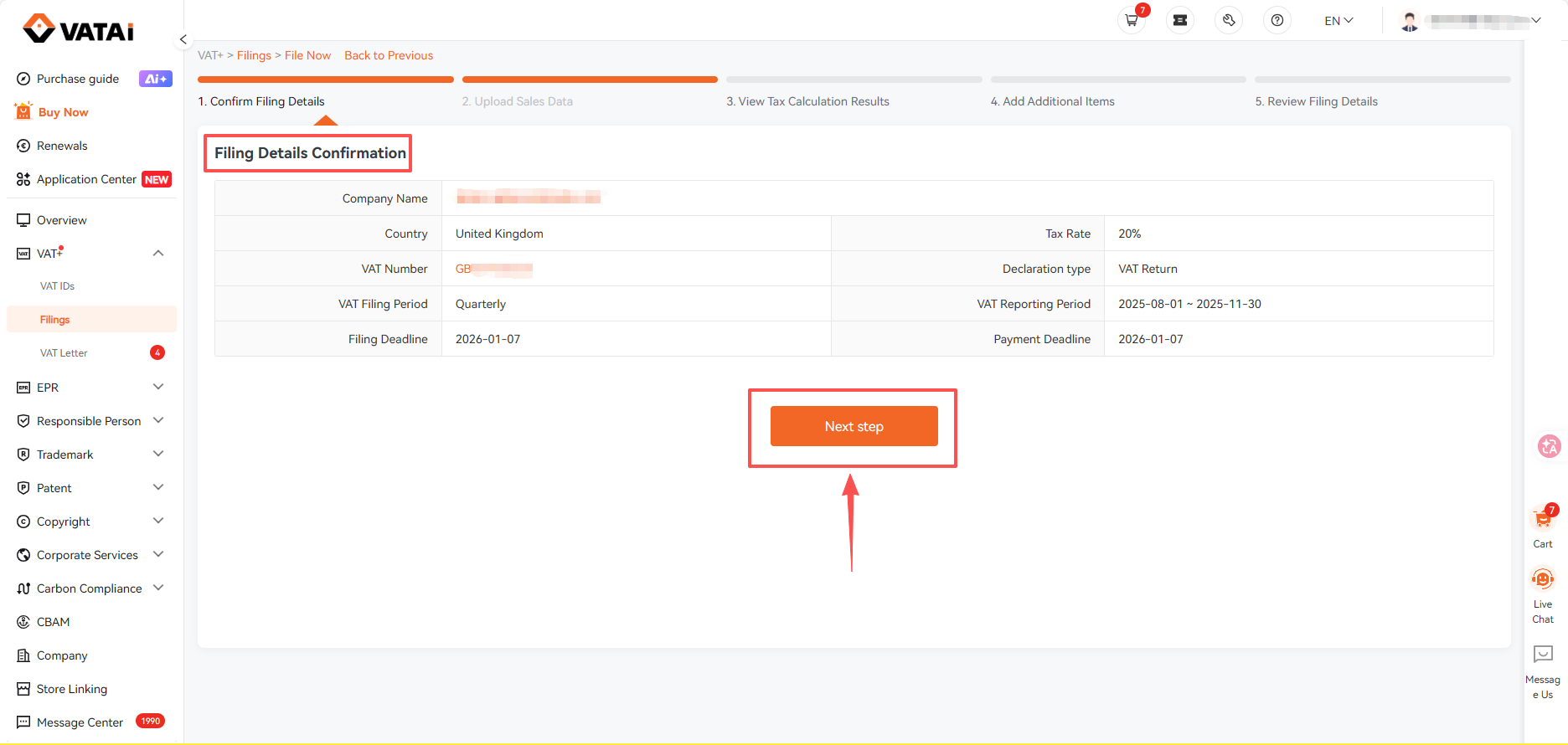
On the filing page, review the filing information carefully and click Next Step once you confirm that all details are correct.
Step 3: Upload Sales Data
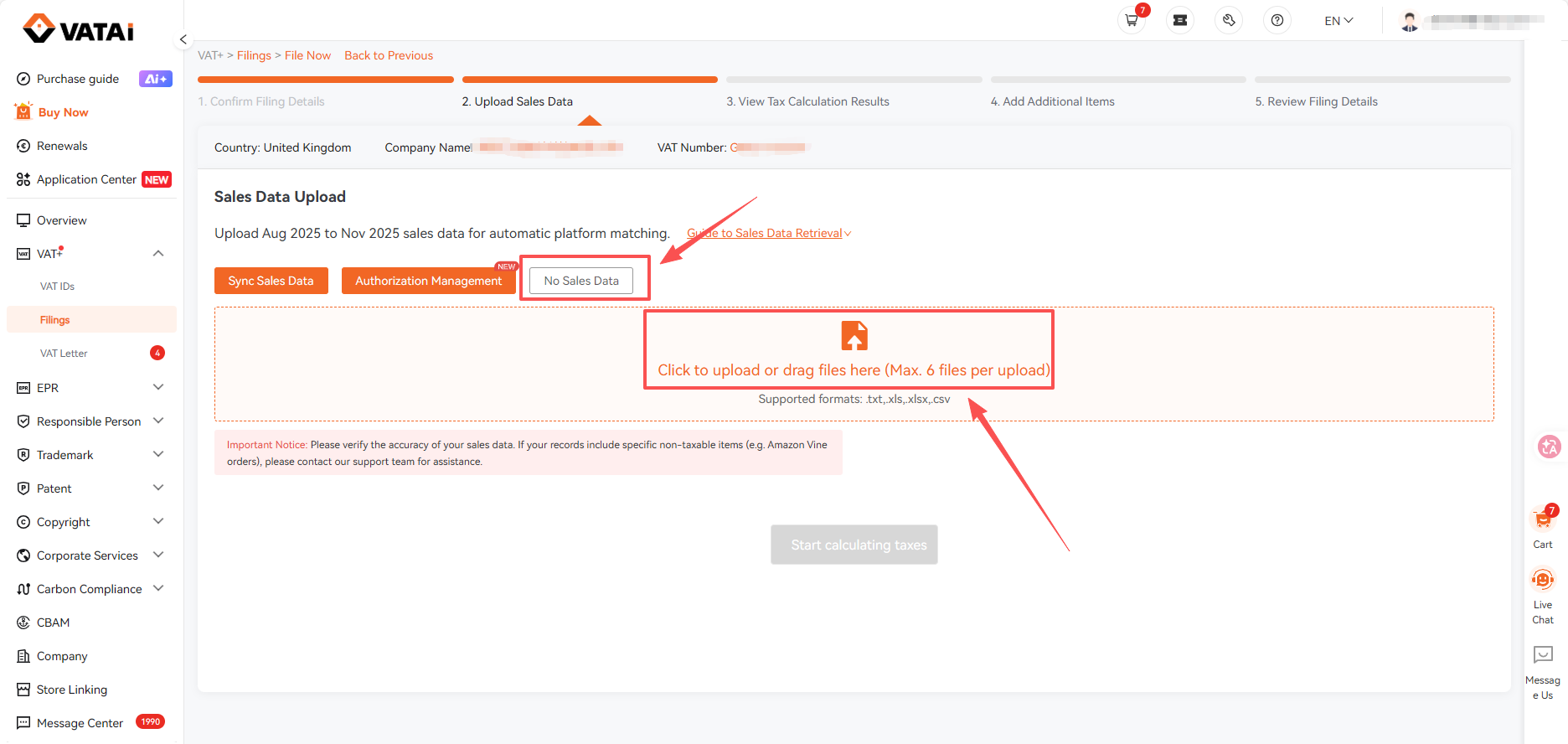
Upload your sales data report on the Upload Sales Data page, where the system will automatically identify the corresponding sales platform based on the uploaded file.
Step 4: Declare No Sales Data (if applicable)
If no business activity occurred during the reporting period, select No Sales Data, review the risk notice, and confirm the submission.
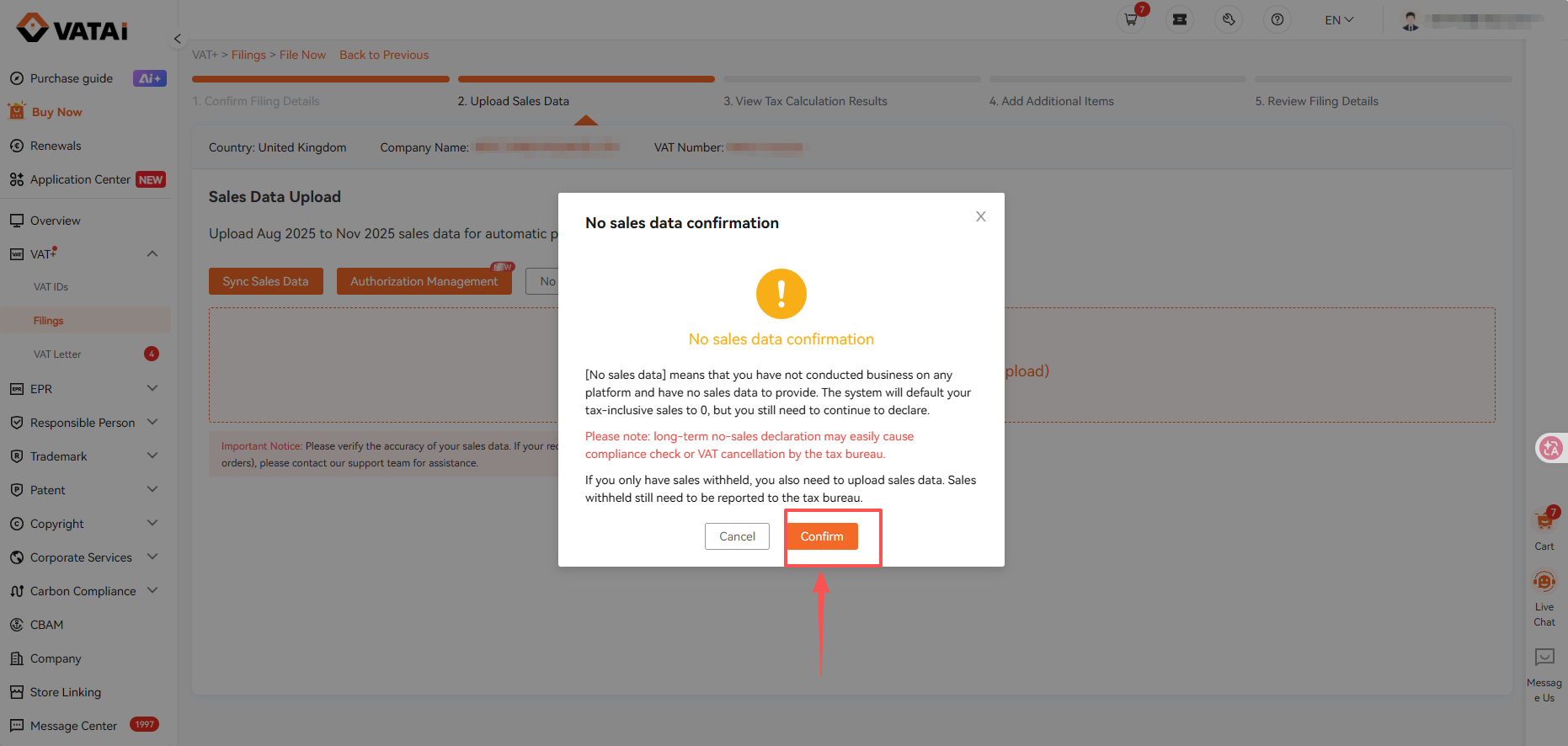
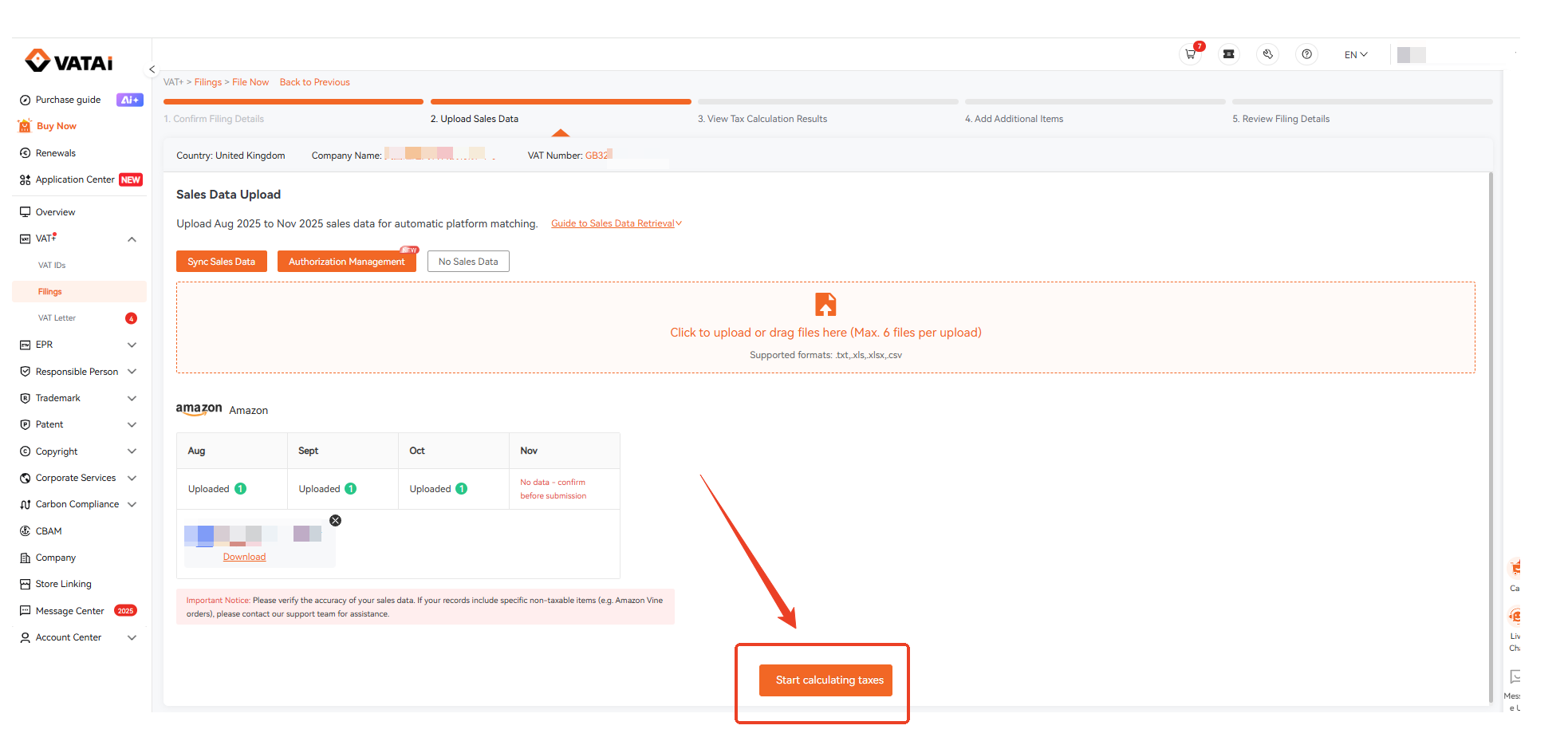
Step 5: Submit Sales Data for Calculation
When sales data is uploaded, the system will automatically recognize and calculate sales data from Amazon, AliExpress, while sales from other platforms must be entered manually after uploading the corresponding report and entering the tax-inclusive sales amount in the designated field.
Step 6: Review VAT Calculation Results
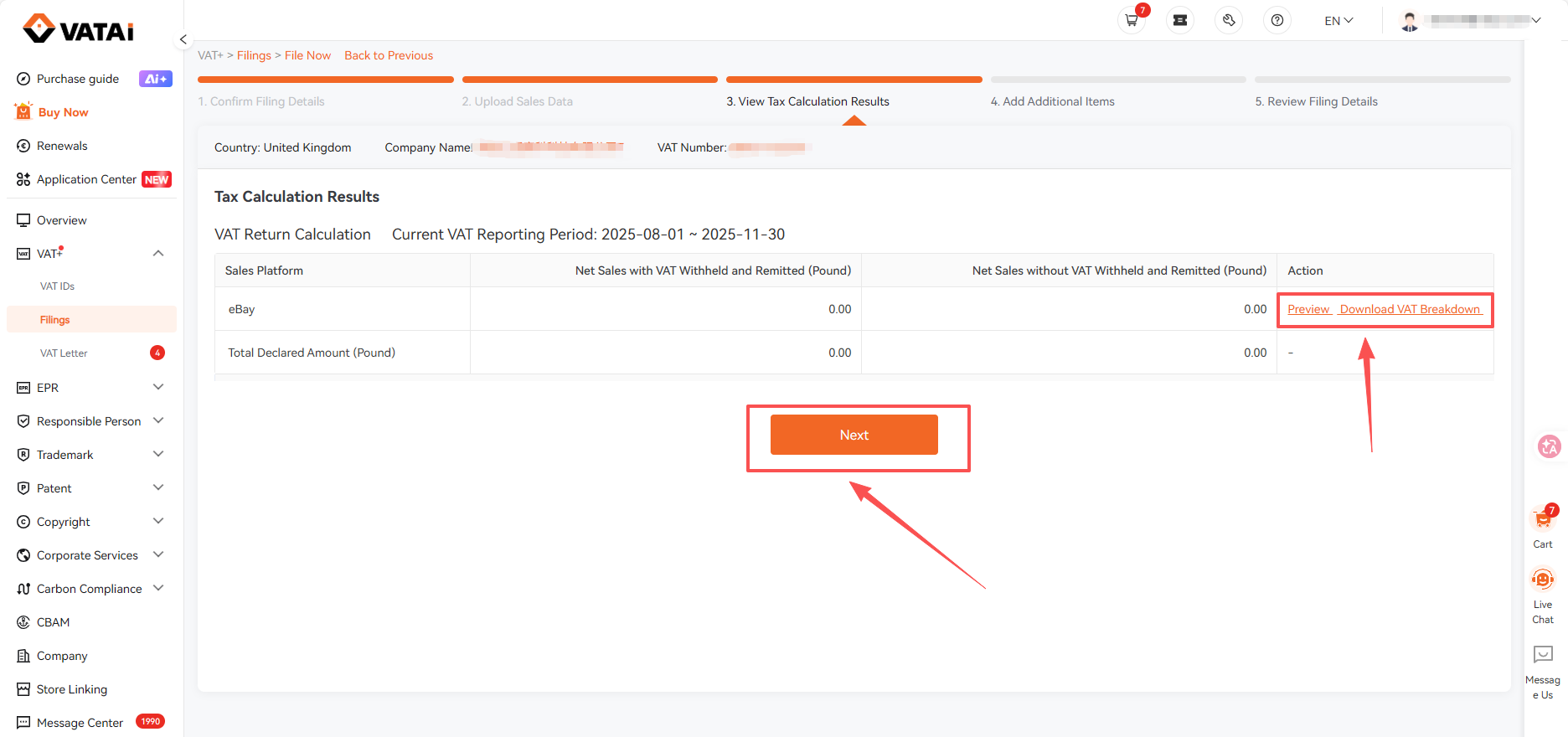
On the Tax Calculation Results page, review the calculated tax results and download the VAT breakdown if needed before clicking Next to continue.
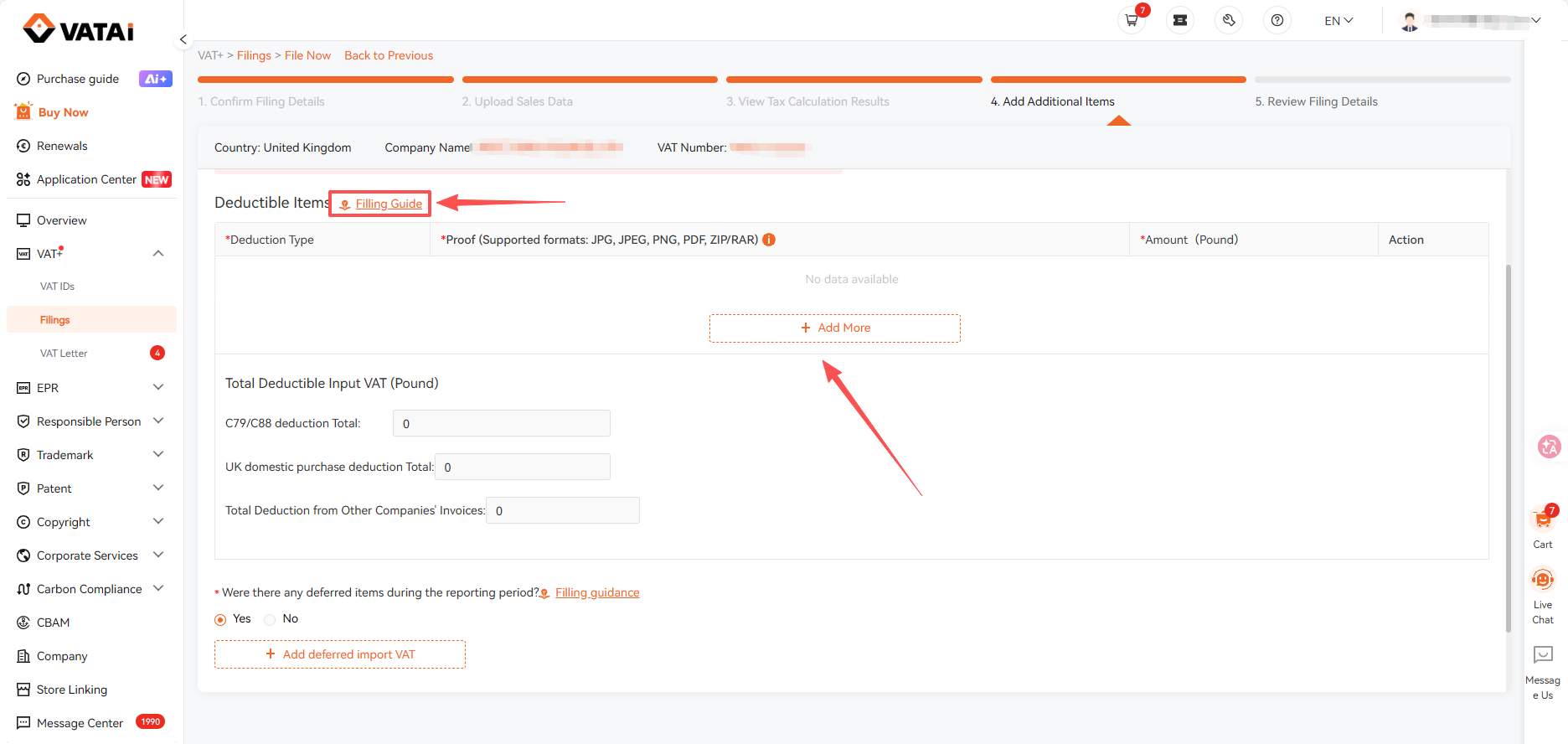
Step 7: Add Additional Filing Items
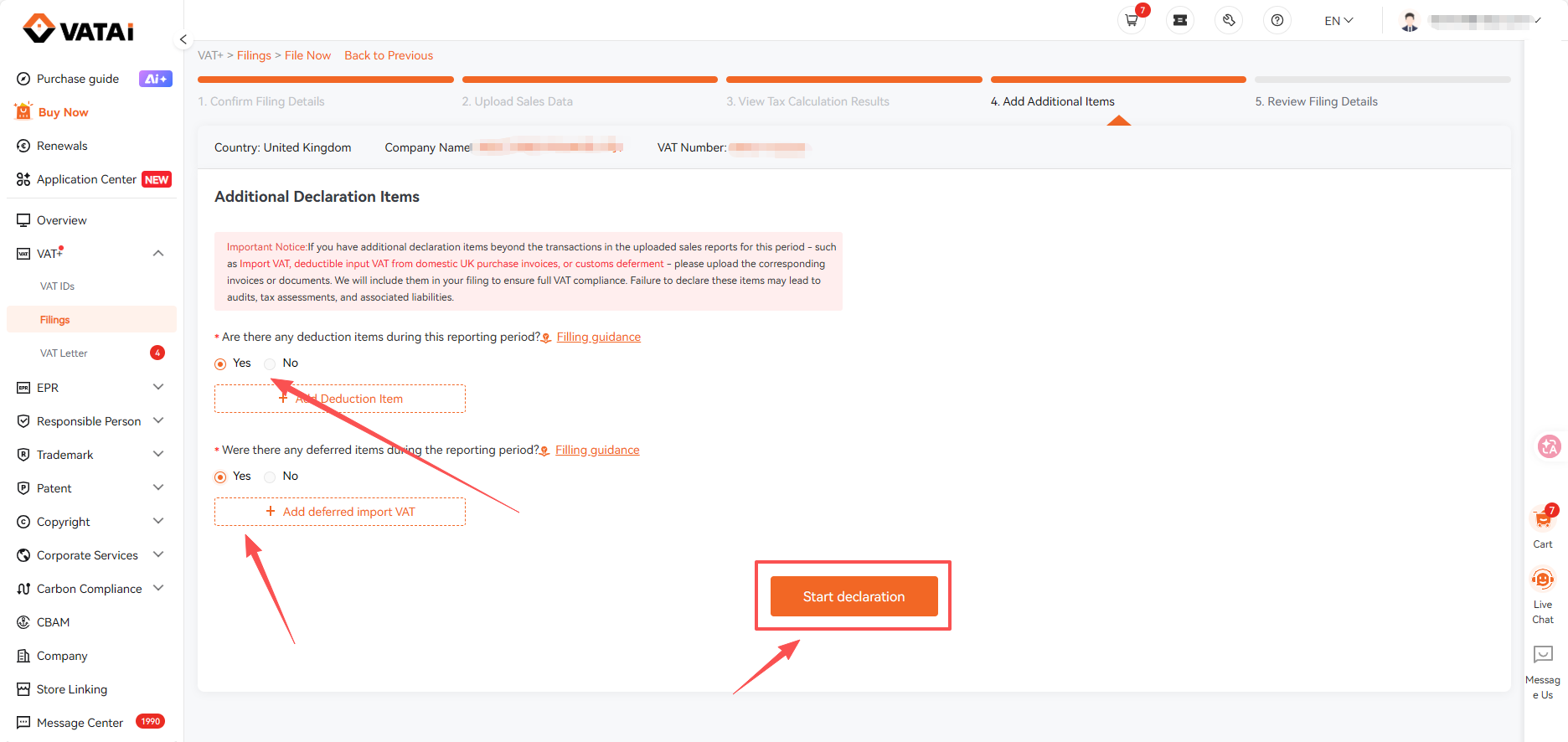
Select the appropriate category on the Add Additional Declaration Items page, and if none of the listed categories apply, choose NO.
Step 8: Provide Supporting Documents
Click Filling Guide to view examples, upload the required supporting documents, enter the corresponding amount, and then click Start Filing to proceed.
Step 9: Review and Submit the Filing
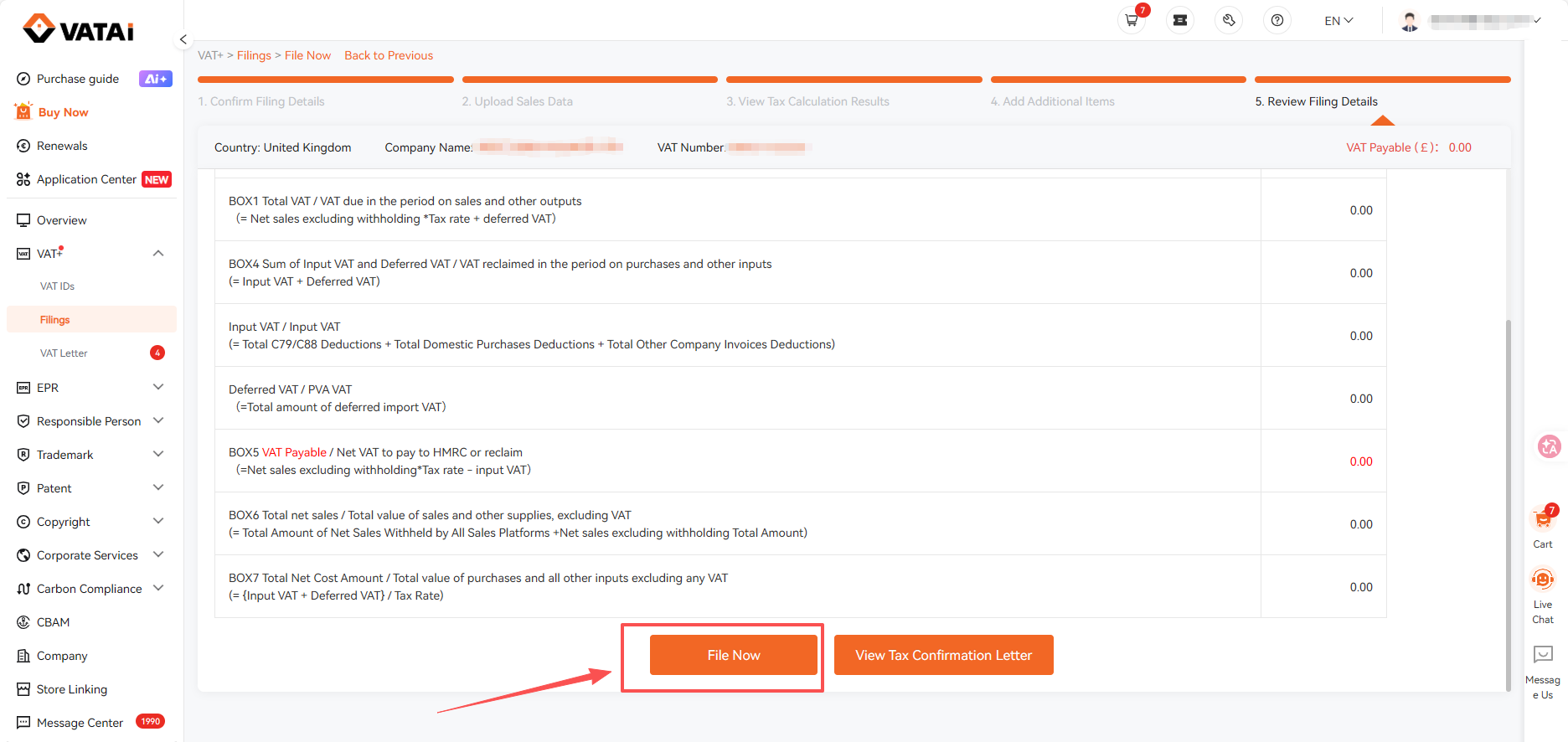
On the Filing page, review the Tax Confirmation Letter carefully and click File Now once all filing information has been verified as accurate.