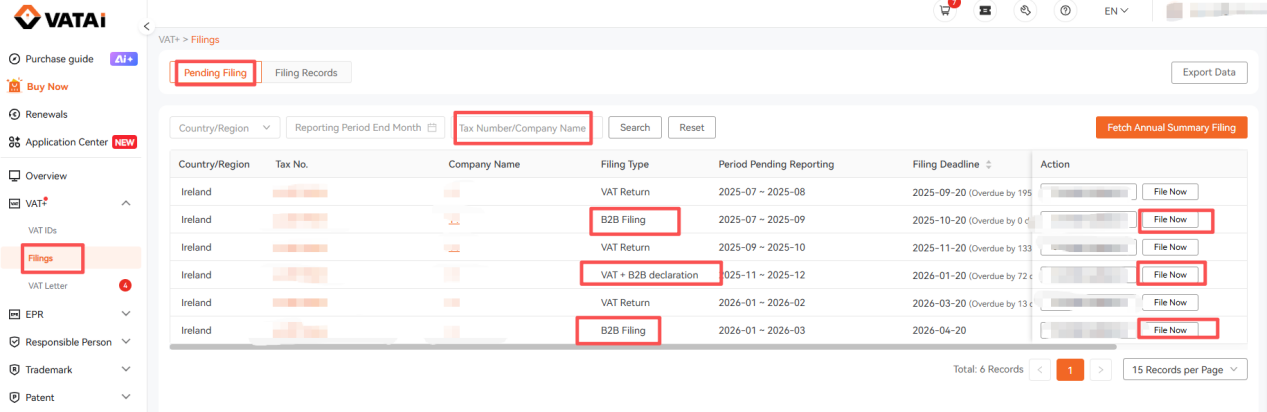
1. Log in to the VATAi system, navigate to [VAT+] > [Filings] > [Pending Filing], and select Ireland as the country. Enter the company name or VAT number you wish to file for in the search box. Choose the filing type: B2B Filing or VAT+B2B Declaration, then click [File Now].
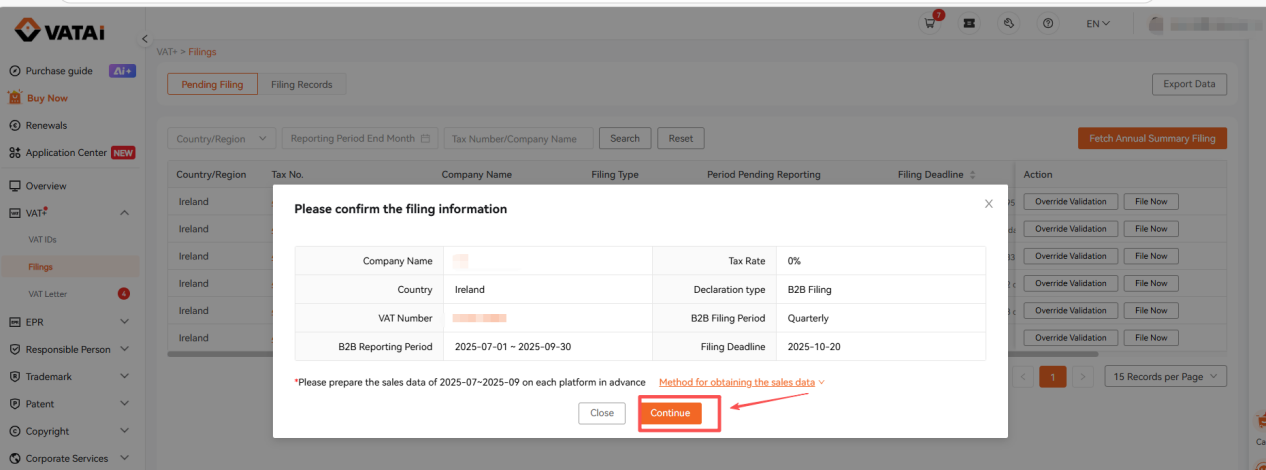
2. In the [Confirm the Filing Information] pop-up window, click [Continue] to enter the tax calculation page.
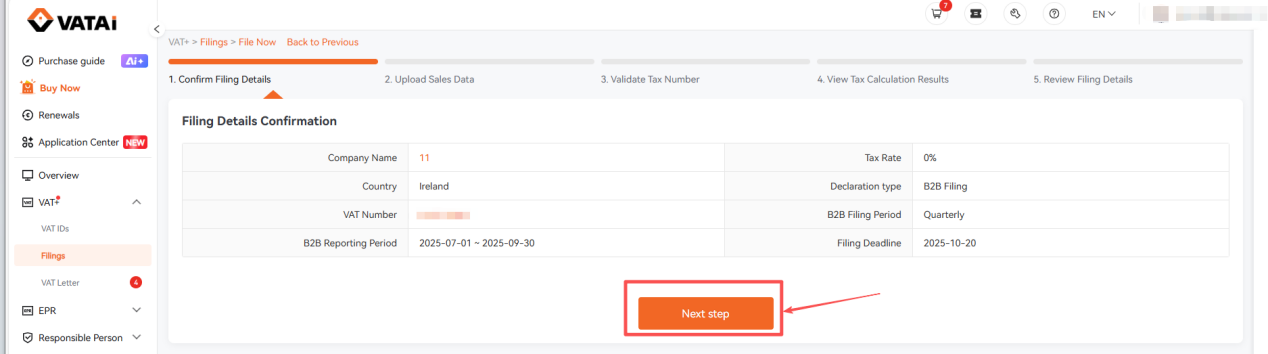
3. Under Filing Details Confirmation page, verify that your filing details are correct, then click [Next Step].
4. Under [Upload Sales Data] page, upload your sales data:
① If there were no business operations during the current filing period, click [No Sales Data], then click Confirm.
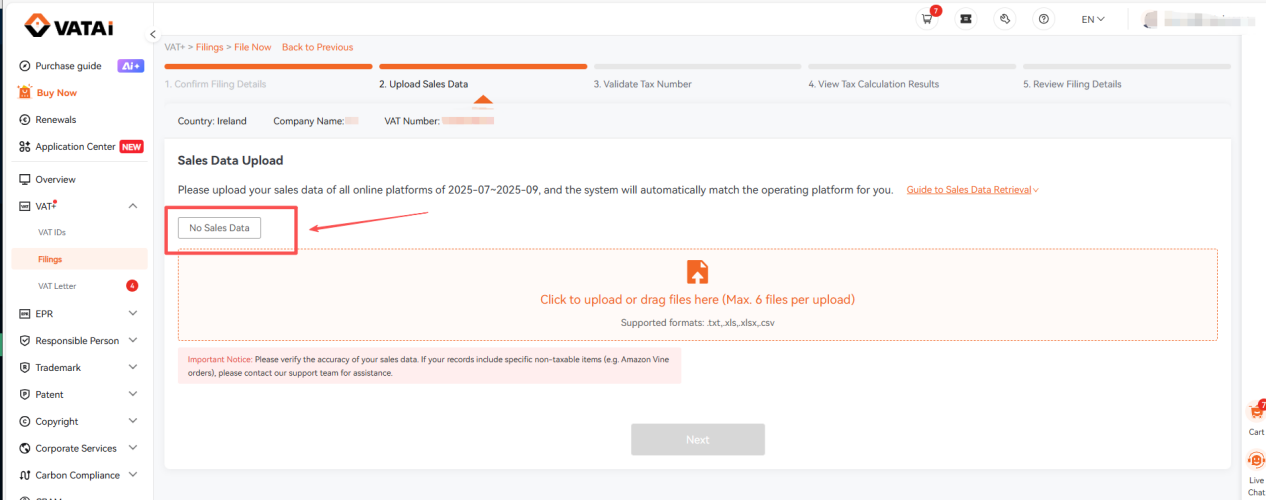
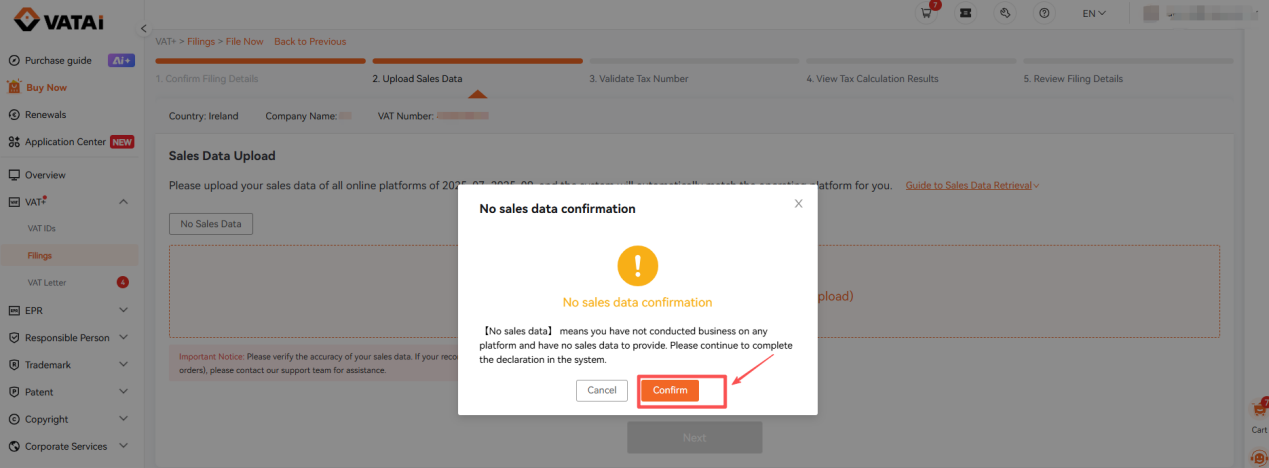
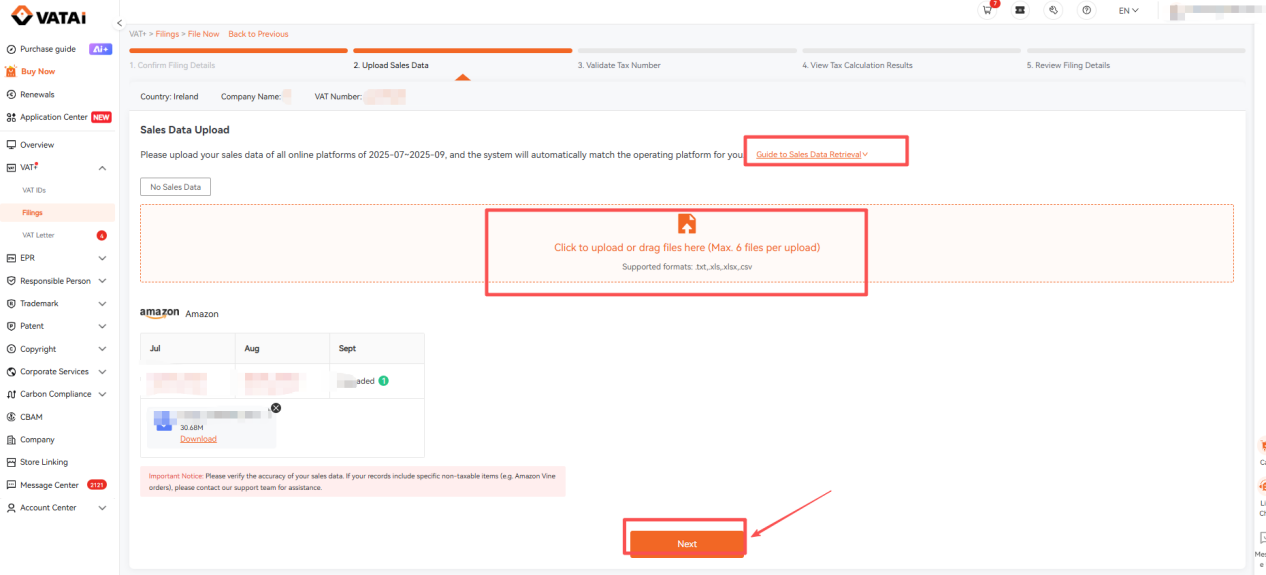
② If your sales platform is Amazon, you can click to view the instructions on how to obtain Amazon sales data. Download the sales report for the corresponding filing period, upload it into the data box, and click [Next].
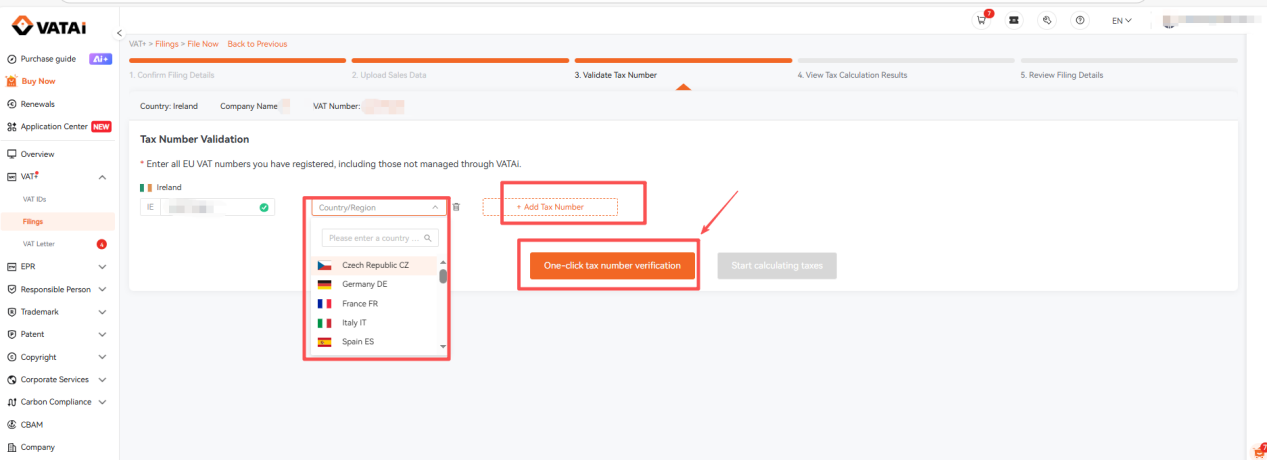
5. Under [Validate Tax Number], the system will automatically import your Irish VAT number and other EU VAT numbers registered in the VATAi system. You can also manually add EU VAT numbers filed on other platforms. Then, click [One-Click Verify Tax Numbers] > [Start Tax Calculation].
Note: Please fill in all EU VAT numbers (including those not managed by VATAi), otherwise it may affect the final tax calculation result.
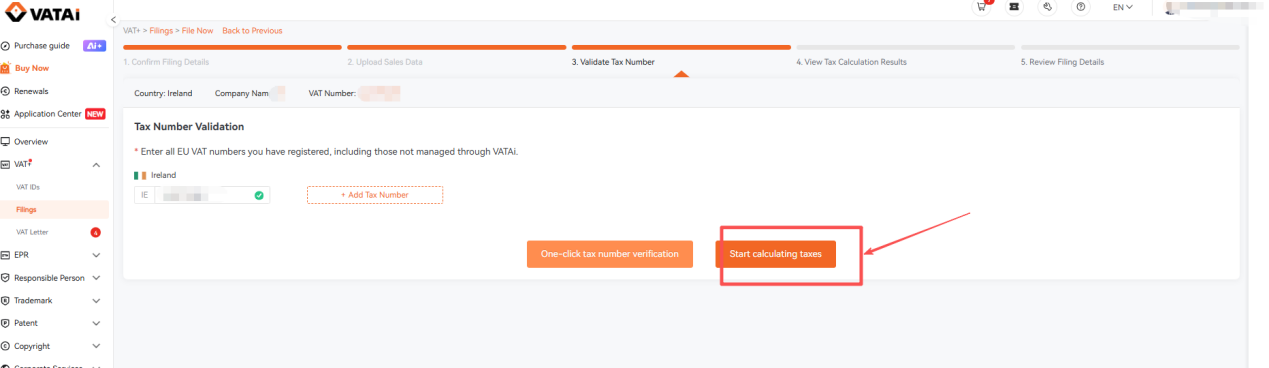
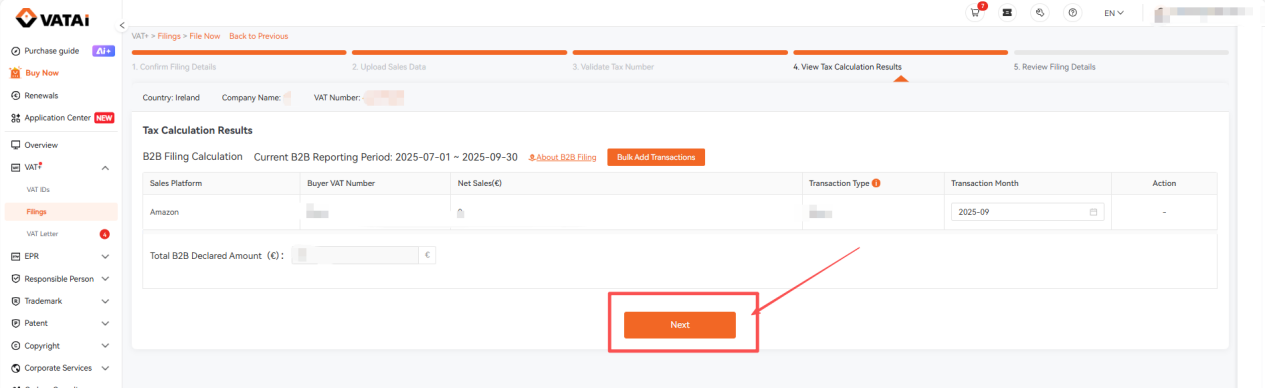
6. Review the tax calculation results. If there are no issues, click [Next].
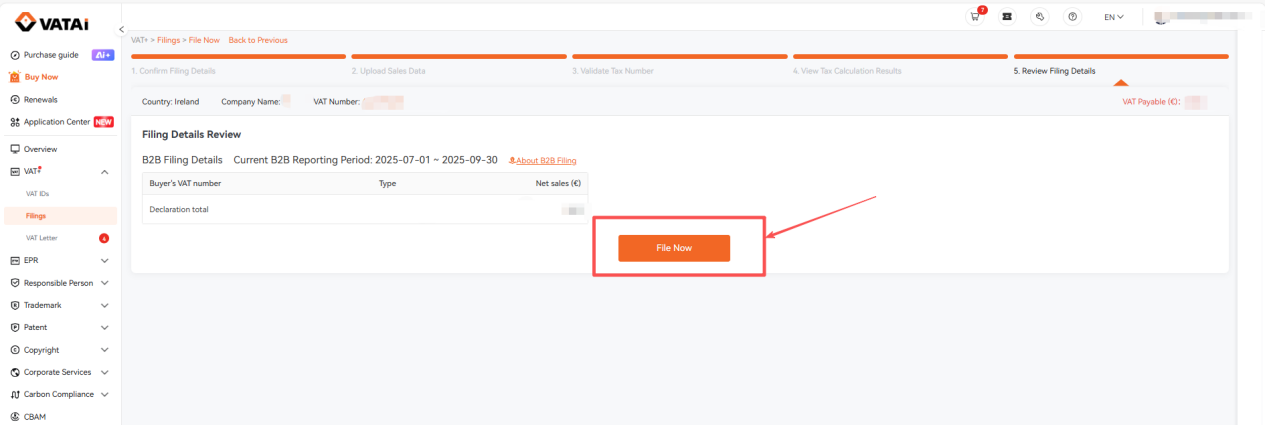
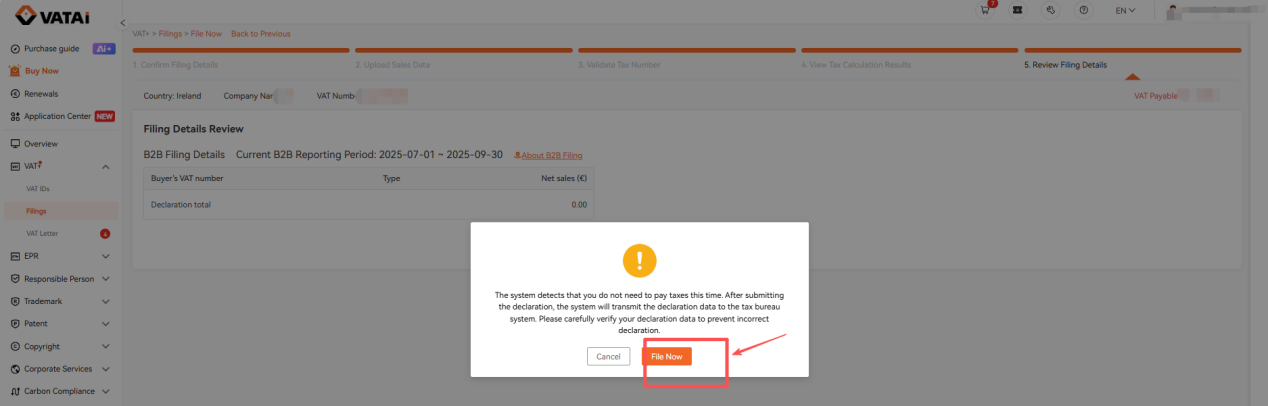
7. Review the filing details. If everything is correct, submit the filing. Please note that the Ireland B2B (VIES) filing is for reporting purposes only and does not require tax payment.
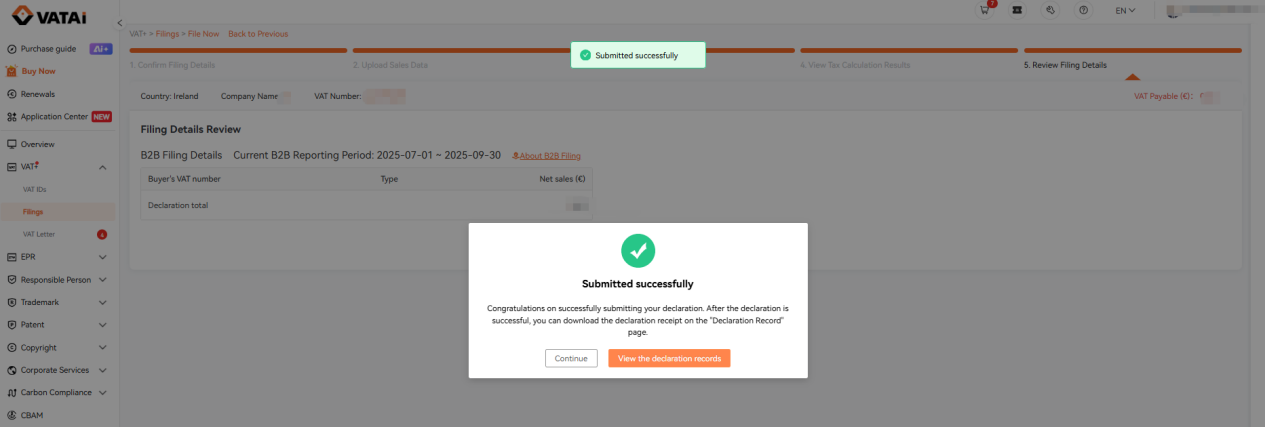
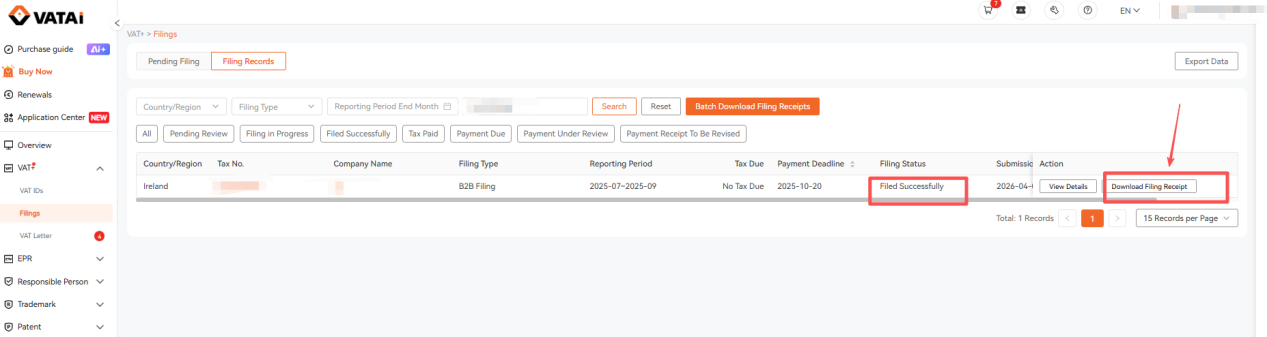
8. Once your filing is completed with the tax authority, we will upload the receipt. The status of your filing record will be updated to "Filed Successfully". You can click to download the filing receipt on the filing records page.