Step 1: Locate the Service Order
Log in to your VATAi account and find the service order that requires information submission using one of the following methods:
Option 1: Navigate to Overview > To-Do List > To be Submitted tab.

Option 2: Go to the specific service menu and select the To be Authorized tab.

Option 3: Open Account Center > All Services, switch to the relevant service category, and locate the order under the To be Submitted/Rejected tab.

Step 2: Access the Data Entry Form
Click the "Fill in the Information" button next to the service order to open the data entry form.
Step 3: Submit the Required Details
Follow the system prompts to provide the necessary details. Once you've verified that all information is correct, click "Submit" to complete the process.
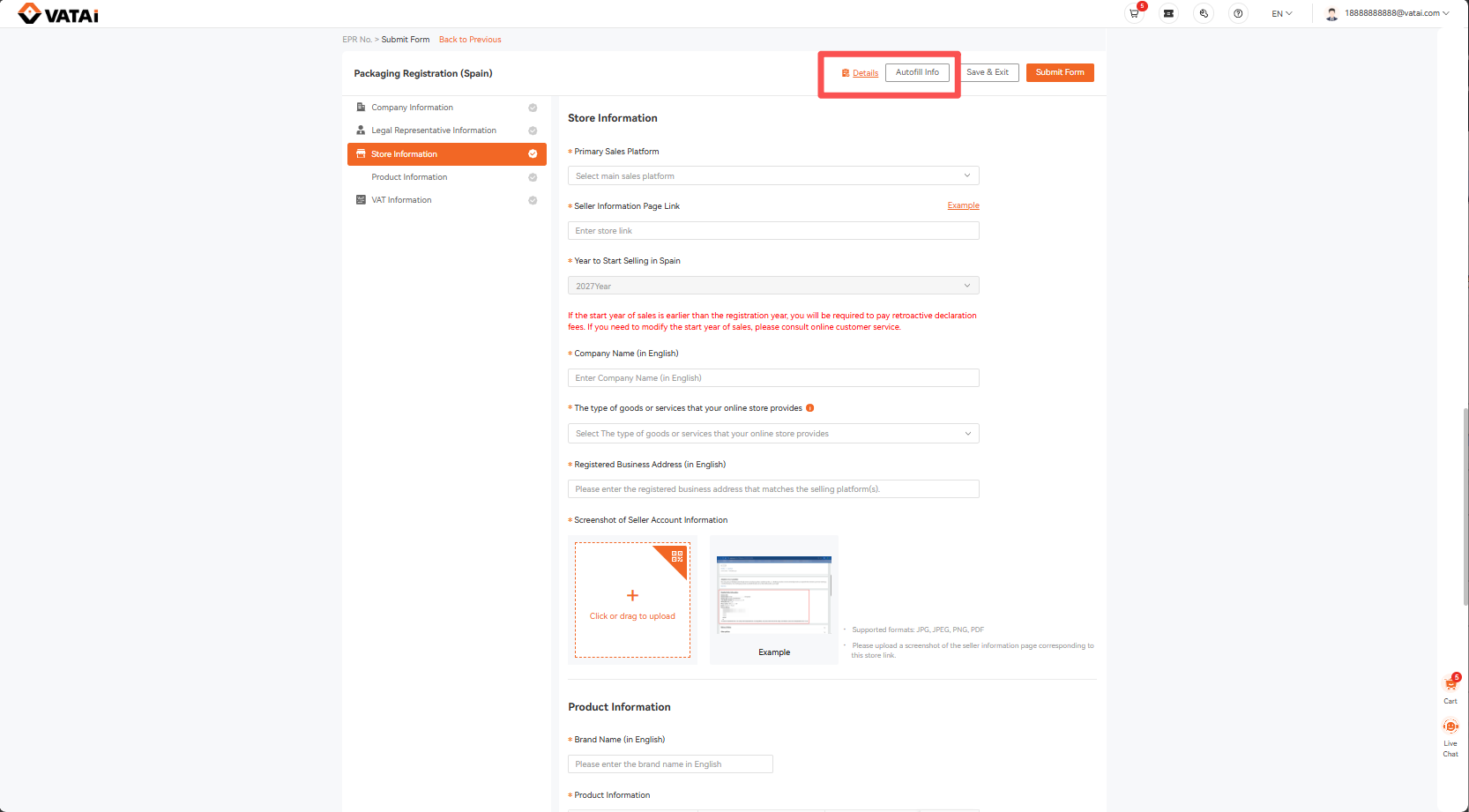
Step 4: Use AutoFill to quickly reuse existing information
If you have previously completed and submitted another service application, the system will save the company and legal representative information provided. When completing another application for the same company, you can click AutoFill Info to automatically populate the saved information and reduce repetitive data entry.
After autofilling, please review the information to make sure it is accurate and complete. If anything has changed, update the relevant details before submitting.
Need Help?
Book a free call with VATAi today to find tailored compliance solutions for your e-commerce business.
