How to Submit Your EPR Registration Number on Amazon
 VATAi
VATAiMethod 1: Applicable to Amazon marketplaces in Germany, Belgium, Poland, Sweden, the Netherlands and Ireland.
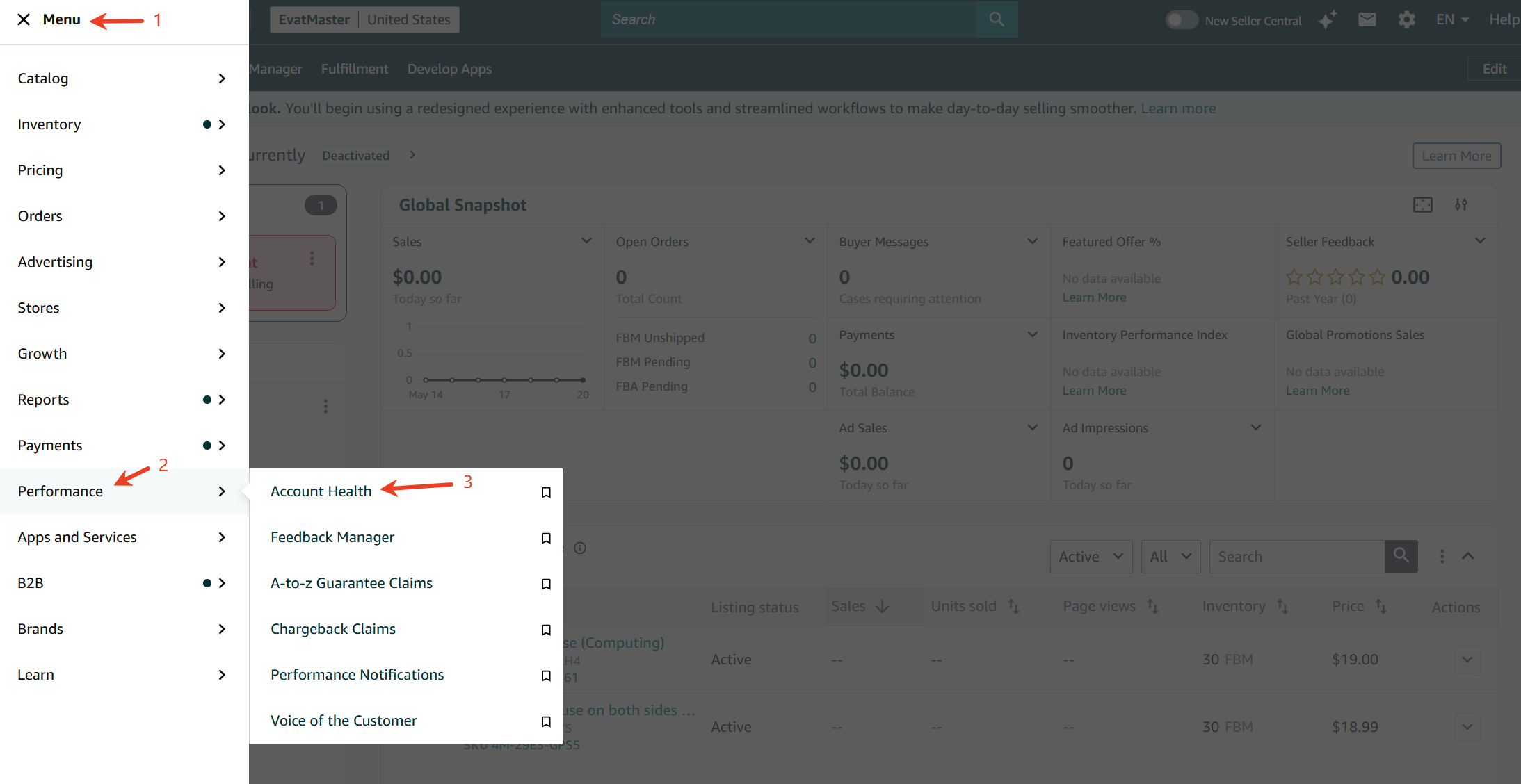
1. Log in to Seller Central and go to [Menu] > [Performance] > [Account Health].
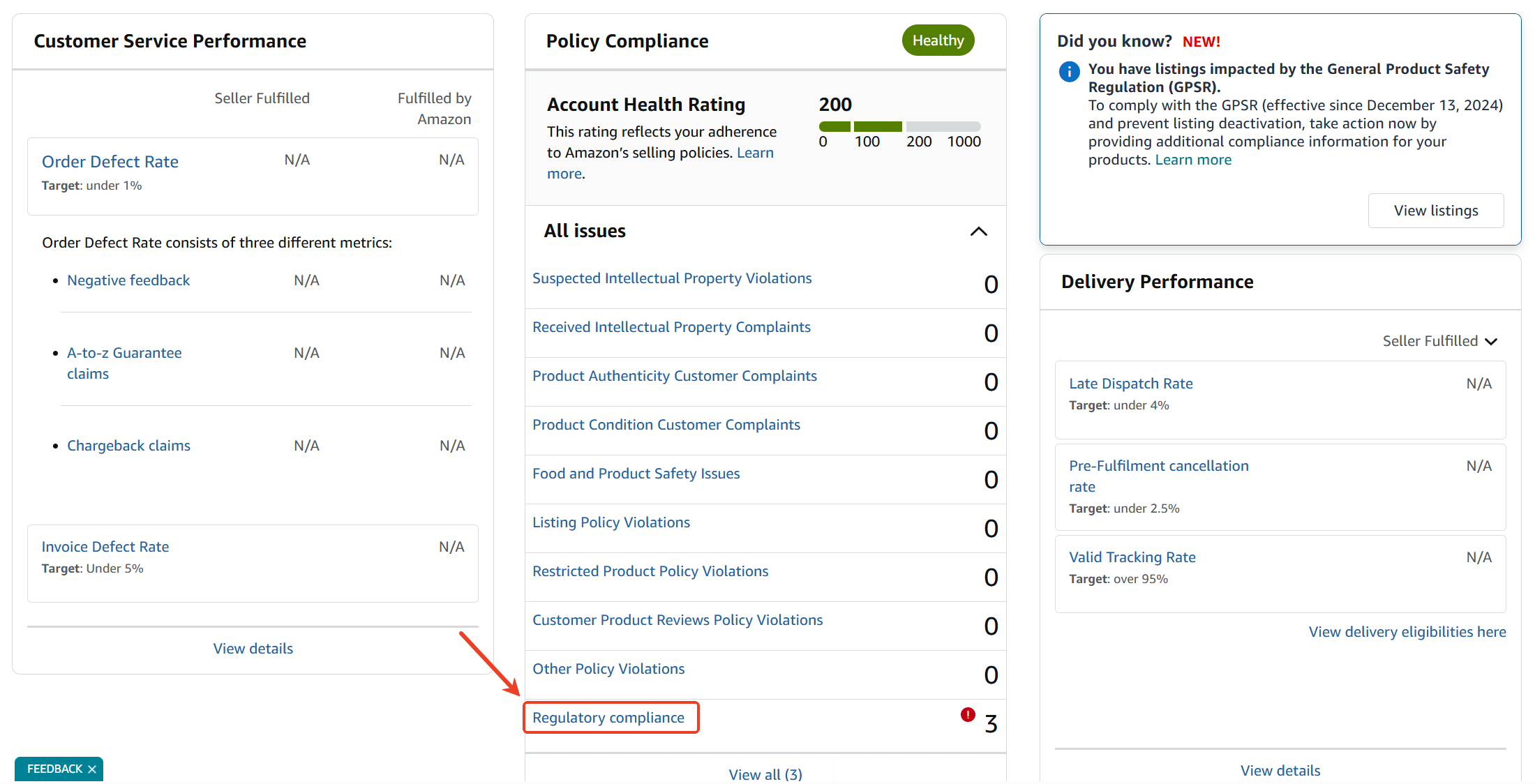
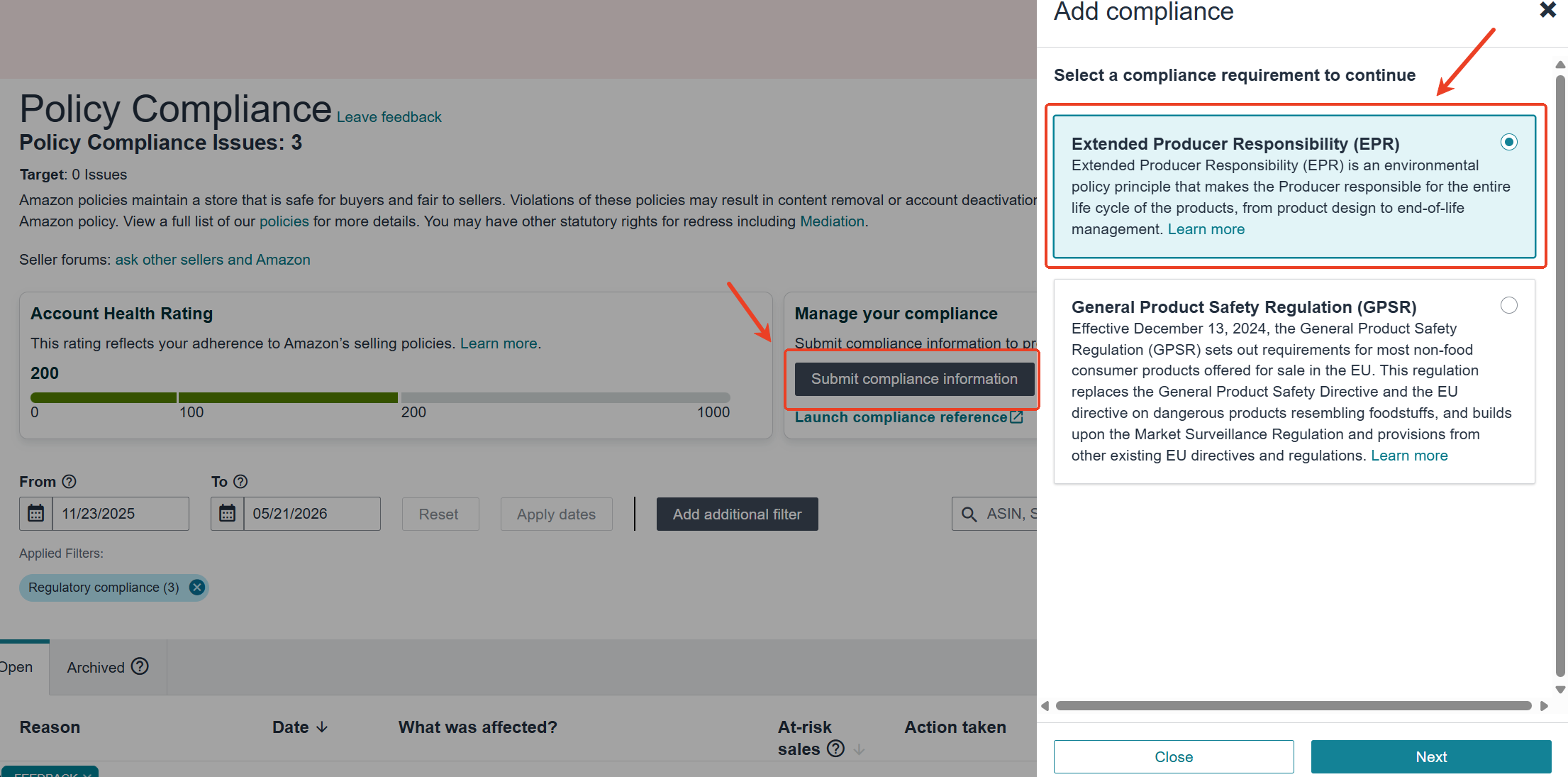
2. Go to [Regulatory Compliance], click [Submit Compliance Information] in the upper right corner, select [Extended Producer Responsibility(EPR)], then upload your registration number.
⚠️Important: you must submit the corresponding number separately for each marketplace. This applies to Germany, Belgium, Poland, Sweden, the Netherlands, and Ireland.
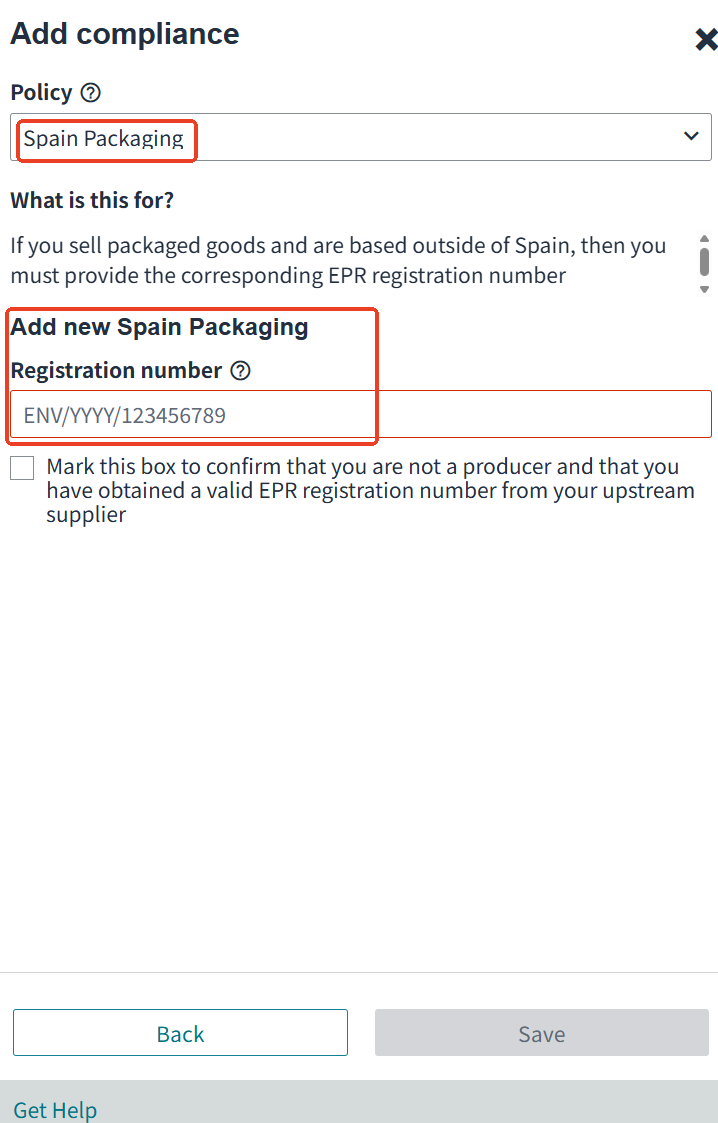
3. Select Policy e.g. [Packaging], enter your registration number and click [Save].
4. After saving the information, a pop-up window will confirm successful submission of your registration number. For countries with public registration status available, you will receive the review result within 7 working days.
5. To submit packaging compliance information for other EU countries, change the country/region at the top of the page and repeat the same steps.
Method 2: For France, Italy, and Spain — Amazon Pay on Behalf Service
Scenario 1: You do not have an EPR registration number and want to continue using Amazon’s Pay on Behalf service.
You need to apply via the dedicated link provided by Amazon. The designated service provider will contact you within 72 hours to assist you with registration, filings and fee payment.
❗ Reminder: You may also contact a service provider directly to obtain your EPR registration number, then follow the steps in Scenario 2 to continue participating in the Pay on Behalf service.
Application Link: https://sellercentral-europe.amazon.com/gc/epr-compliance/epr-registration-packaging
Scenario 2: You already have an EPR registration number which has not been uploaded before and want to keep using Amazon’s Pay on Behalf service. You need to upload your valid registration number via the dedicated link, and Amazon will continue to pay on your behalf.
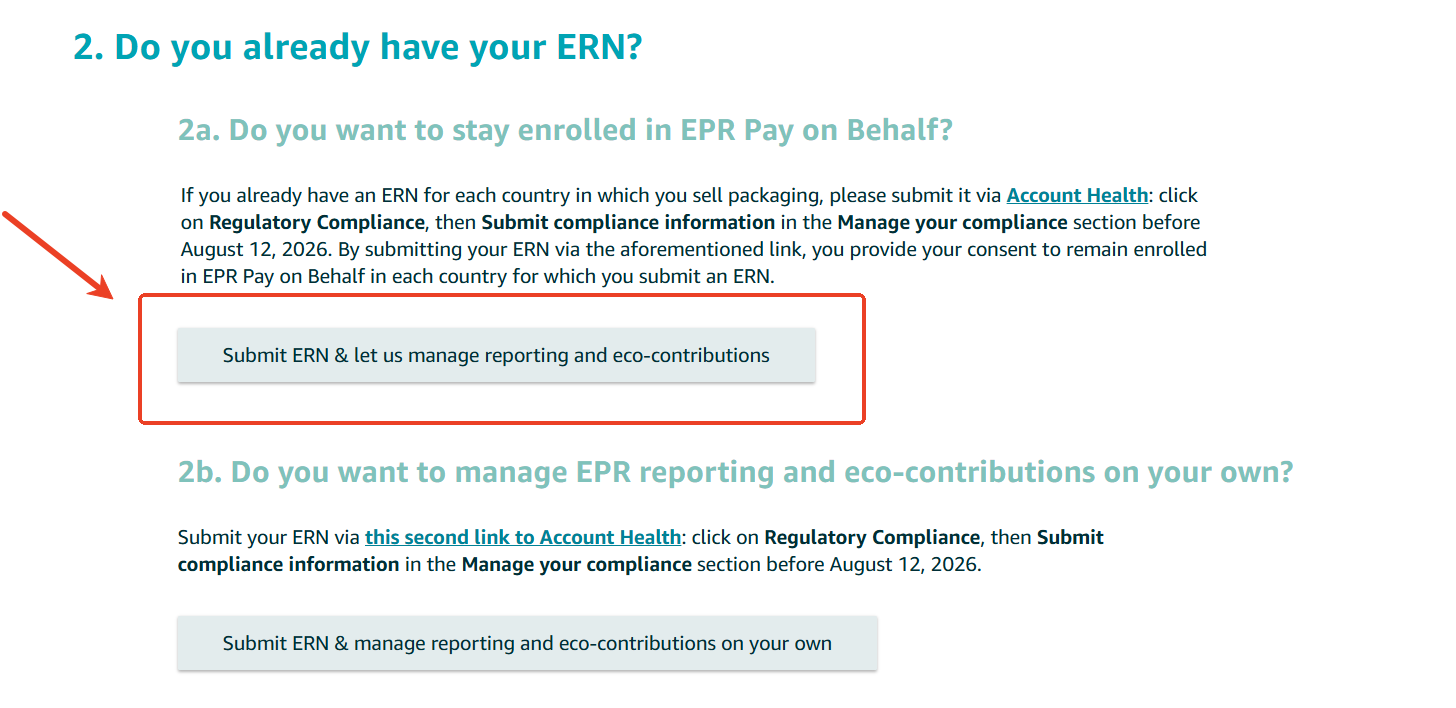
⚠️ Upload Link:https://sellercentral-europe.amazon.com/performance/dashboard?ref=gc_eprregistrationppwr_optin
Important: You must upload via the links above. If you submit directly on the [Regulatory Compliance] page in Menu, the system will treat you as self-reporting, and you will automatically opt out of the Pay on Behalf model.
1. Confirm the country where the EPR number needs to be submitted, enter the dedicated link, and click [Regulatory Compliance].
2. Click [Submit Compliance Information] in the upper right corner, select [Extended Producer Responsibility(EPR)], then upload your registration number.
3.Select [Packaging], enter your registration number and click [Save].
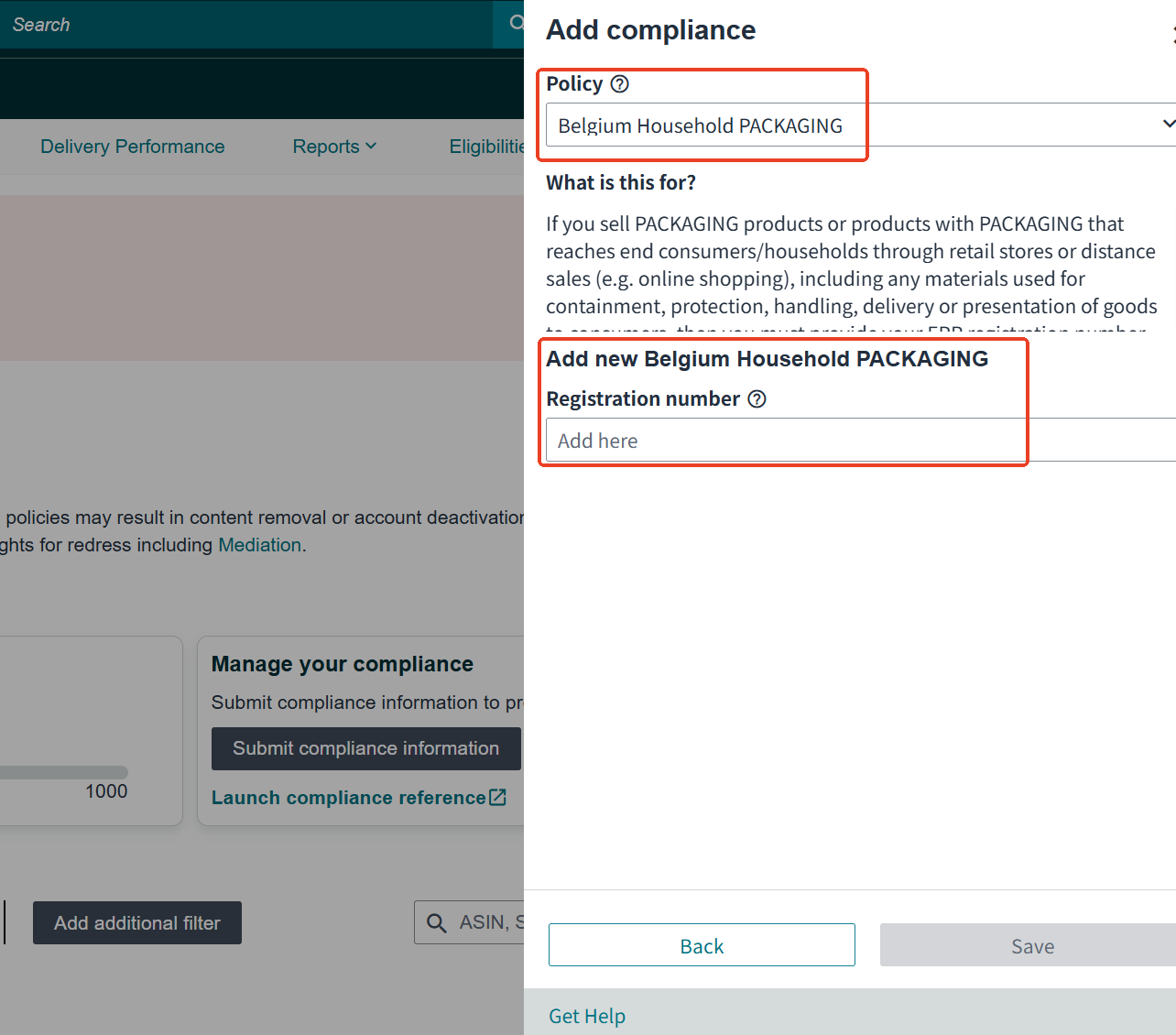
4. To submit packaging compliance information for other EU countries, change the country/region at the top of the page and repeat the same steps.
Scenario 3: You do not have an EPR registration number and wish to opt out of the Pay on Behalf service for full self-management.
You need to complete registration, filings and fee payment separately in each EU country where you sell. After completion, upload the obtained registration numbers to Menu (refer to Method 1 for the upload procedures).
Scenario 4: You already have an EPR registration number and wish to opt out of the Pay on Behalf service.
Before the last day of each reporting period, go to Seller Central > Account Health > Manage Your Compliance, click [Submit Compliance Information], and upload a valid EPR registration number. You may refer to Method 1 for the upload and submission steps. After submission, you will automatically opt out of the Pay on Behalf service for that country.
How VATAi Can Help with EPR Compliance
Managing EPR compliance across multiple European marketplaces can be complex. Each country may have different rules, registration bodies, reporting deadlines, fee structures, and documentation requirements.
VATAi helps Amazon & marketplace sellers manage EPR compliance more efficiently, including: EPR registration, EPR reporting/filing, VAT, OSS, GPSR, authorised representative and wider EU compliance services. Whether you need to register EPR for a new country, or prepare for PPWR packaging compliance, VATAi can help you build a more reliable EU compliance strategy. Contact us today for a free EPR consultation and quote!
Need Help with EU EPR Compliance?
Book a free call with VATAi today to get your personalised EPR rodamap for your e-commerce business
